Windows MSI apps: Edit App Details
Once an MSI is uploaded to the Apps Library, the app details can be changed using the edit function.
- Go to the Libraries tab.
- Click the Apps icon.
- Select an app.
- Click Edit > Edit App Details.
- Click Save App.
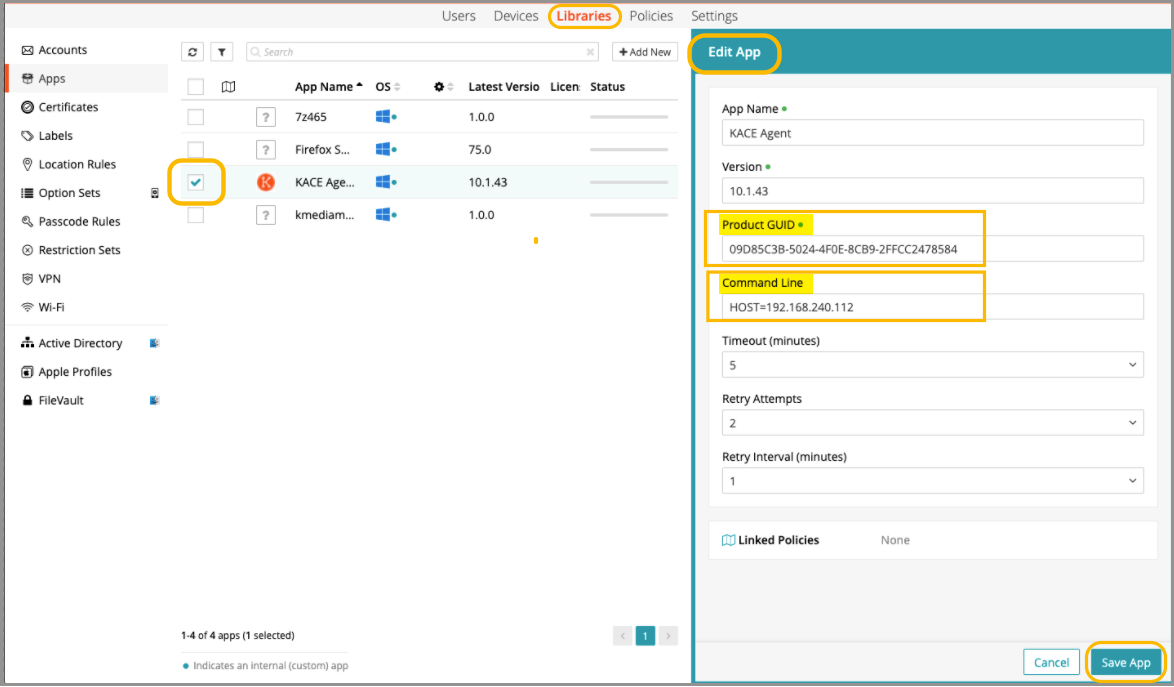
In the example above, the MSI is the KACE Agent and the server IP address is being passed to the MSI in the command line.